 REDNECK ENGINEERING
Mileage log app for Sweden: km, kr and 14 export columns
FleetLog Solo is a mileage log app for Android, for people driving in Sweden: it works in km and kr only and needs Android 12 or later. It's in beta and can't be downloaded yet; the version is 0.1.0 and there's no date. The screenshots show the Swedish interface, so each label below comes with its English meaning. The app has English strings too, and the column table uses those.
The next step is the FleetLog Solo app page. Its I want to know more and Contact us buttons lead to the contact section on the Redneck Engineering site, which is how to ask about it.
If you log in miles or another currency, this app doesn't do that. The project's README also says no recorded trip has yet been checked against a car's own trip meter, so this post makes no claim about how close the distances are.
How a trip gets recorded
First run asks for Location (Plats), which is required, Notification (Avisering) from Android 13, and a choice about Street names (Gatunamn). Then it asks Which vehicle? (Vilket fordon?). The registration is required; make and model are optional.
After that, one button does the work:
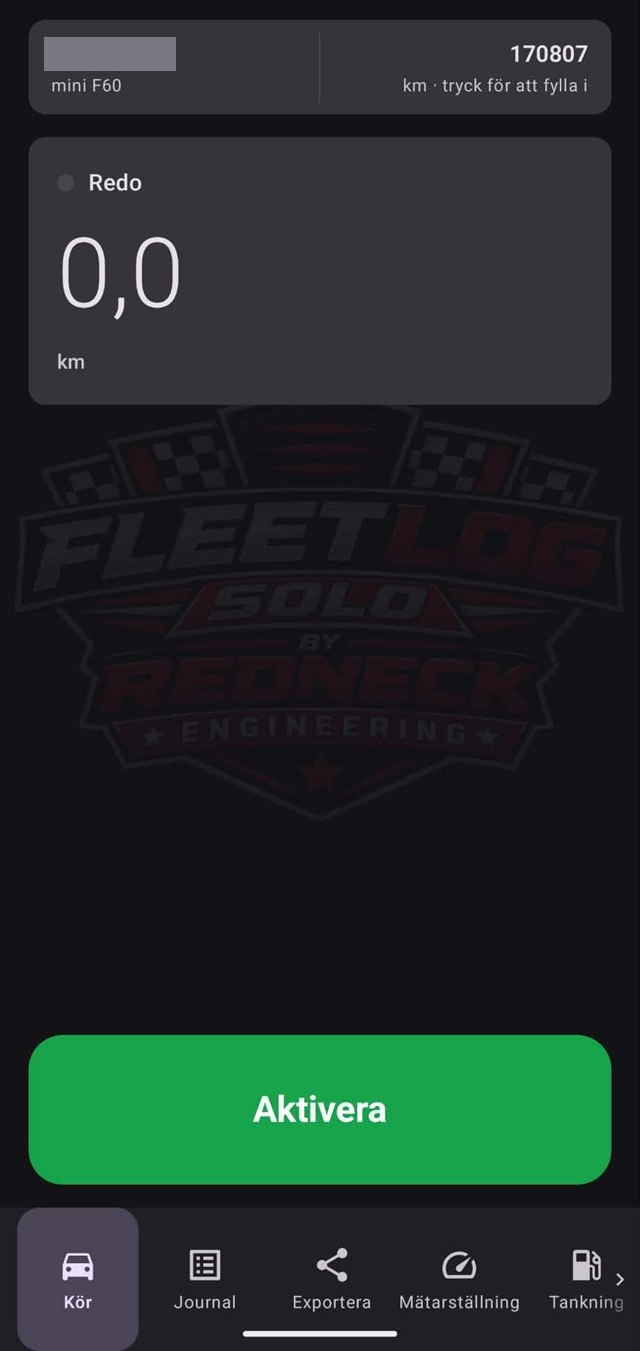
- On the Drive (Kör) tab, tap Activate (Aktivera). The app is now watching, and the status reads "Watching — a trip starts by itself when you drive off".
- Drive off. The trip starts by itself.
- When the car stops, the app waits to see if you set off again. By the code's rule, the trip closes about three minutes after the car stopped, and the app keeps watching for the next drive.
- Tap Deactivate (Avaktivera), on the tab or in the notification. That closes any trip in progress and stops the watching.
Closing the app doesn't stop the watching. A phone restart, or Android ending the app, does: the watching doesn't come back, so tap Activate again. The app doesn't ask for the background location permission.
Business or private
The app doesn't ask on every trip. A new trip takes the type of that vehicle's last trip with a type set, and the first trip on a new vehicle starts as Business (Tjänst). So a private drive after a business one reads Business until you change it to Private (Privat).
You can change it with the two buttons on the Drive tab during the trip, by swiping the trip left in Journal, or inside the trip itself. Swiping right lets you write the errand, which ends up in the Purpose column.
The 14 default columns
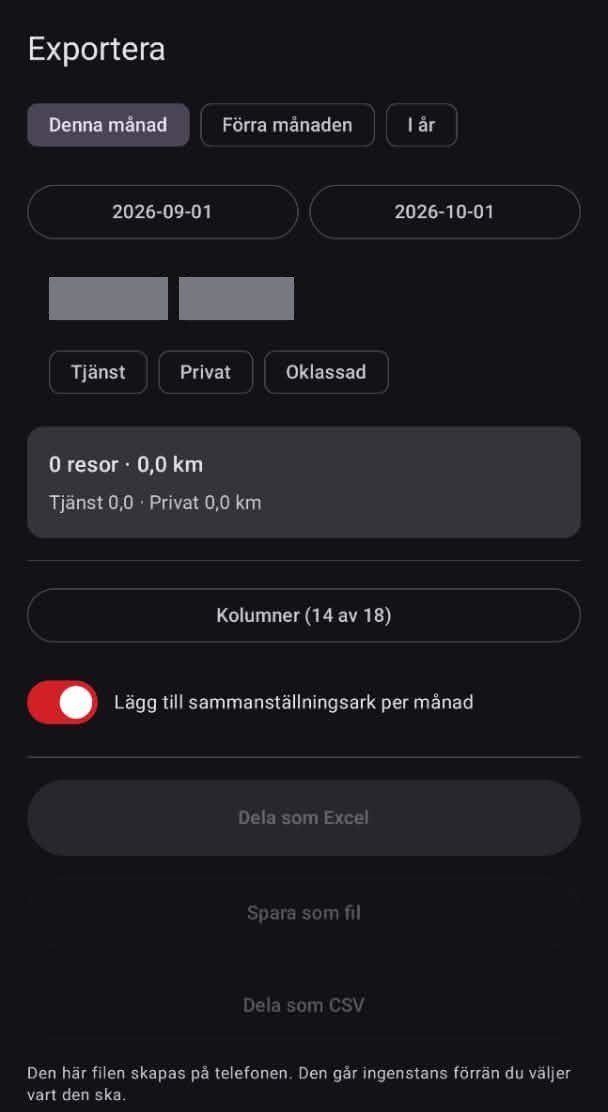
On the Export (Exportera) tab, the button Columns (14 of 18) (Kolumner (14 av 18)) holds the app's default set. These are the 14 in file order, with the app's English labels, for copying into your own sheet or paper log.
| No. | Column | What the app puts there |
|---|---|---|
| 1 | Date | The day the trip started |
| 2 | Driver | The name under Settings, blank until you type one |
| 3 | Vehicle | The registration when the trip started |
| 4 | Odometer start | Whole km, worked out from readings you type in, blank with no reading |
| 5 | Odometer end | The same, at the end of the trip |
| 6 | Distance (km) | One decimal, and you can edit it on the trip |
| 7 | Time | Start and end, like 08:15–08:52 |
| 8 | From | A saved place, a street name or coordinates |
| 9 | To | The same, for the end of the trip |
| 10 | Purpose | What you write: company or person visited |
| 11 | Type | Business or Private |
| 12 | Toll/road charge (SEK) | What you enter on the trip, otherwise blank |
| 13 | Parking/other (SEK) | Parking, ferry and other costs you enter, otherwise blank |
| 14 | Recorded | Measured for a recorded trip, Entered by hand for one you added |
The header row in the form the app's CSV file uses, with semicolons:
Date;Driver;Vehicle;Odometer start;Odometer end;Distance (km);Time;From;To;Purpose;Type;Toll/road charge (SEK);Parking/other (SEK);Recorded
The app's English labels say SEK where the Swedish ones say kr.
Four columns start switched off, and you can tick them under Columns: Note, Duration, Driving score and Unaccounted (km), the distance the app can't account for before a trip.
The app labels this default set as the columns of Skatteverket, the Swedish Tax Agency: the code names it that, and the backup text says "Skatteverket's columns". We haven't checked that with Skatteverket. The table describes what the app writes, not what Skatteverket requires.
With trips in the period, Share as Excel, Save as a file and Share as CSV become active. The Excel file can also carry a monthly summary sheet.
What leaves the phone
There is no FleetLog account and no FleetLog server. Trips go into a database on the phone. The build file lists no analytics or crash-reporting library, and the only part of the app's own code that opens a web connection is the Google Drive backup.
Two things are optional:
- Street names. First run won't continue until you pick Look up street names or Keep coordinates only. With lookups on, a trip's two endpoint coordinates go to Android's geocoder, which on most phones is Google's. The app's own text says no dates, distances, purposes or classifications go with them. If you add a trip by hand, the addresses you type go too, to estimate the distance. Decline, and trips show coordinates instead. You can change this under Settings.
- Backup to your own Google Drive. It's off by default, and the switch sits at the bottom of the Export tab. Switched on, it writes one Excel file per month to a folder in your own Drive, under your own Google account. Switching it off stops the uploads and leaves the files already there. The README says the switch fails until the app is registered with Google. A screenshot from no later than 5 October 2026 shows the switch on and a completed backup, so it has worked on at least one phone. We can't yet say how it will behave in the build that becomes downloadable.
Three more things belong in the answer:
- Your position. It comes through Google Play services' fused location provider, not straight from the GPS receiver. That's Google software on the phone, whichever way you answer the two choices above. What Play services does on its own isn't up to the app, and this post doesn't cover it.
- The export file. It's created on the phone and goes where you send it.
- Changing phones. Android's cloud backup is switched off for the app's data, but a direct phone-to-phone transfer may carry the log across.
The FleetLog Solo blog lists the posts about the app.
How these posts are made: Redneck Engineering writes them with the help of AI and reviews them before they are published. Every claim about the app is checked against the app as it is today, the screenshots are from the app, and facts that don't come from the app have a dated source. Found a mistake? Email cj@rocsales.se and we'll fix it.